

All a home server should do.
None of what made it hard.
Plug in your drives.
HexOS does the rest.
Storage that protects itself, grows with you, and never makes you learn how it works.
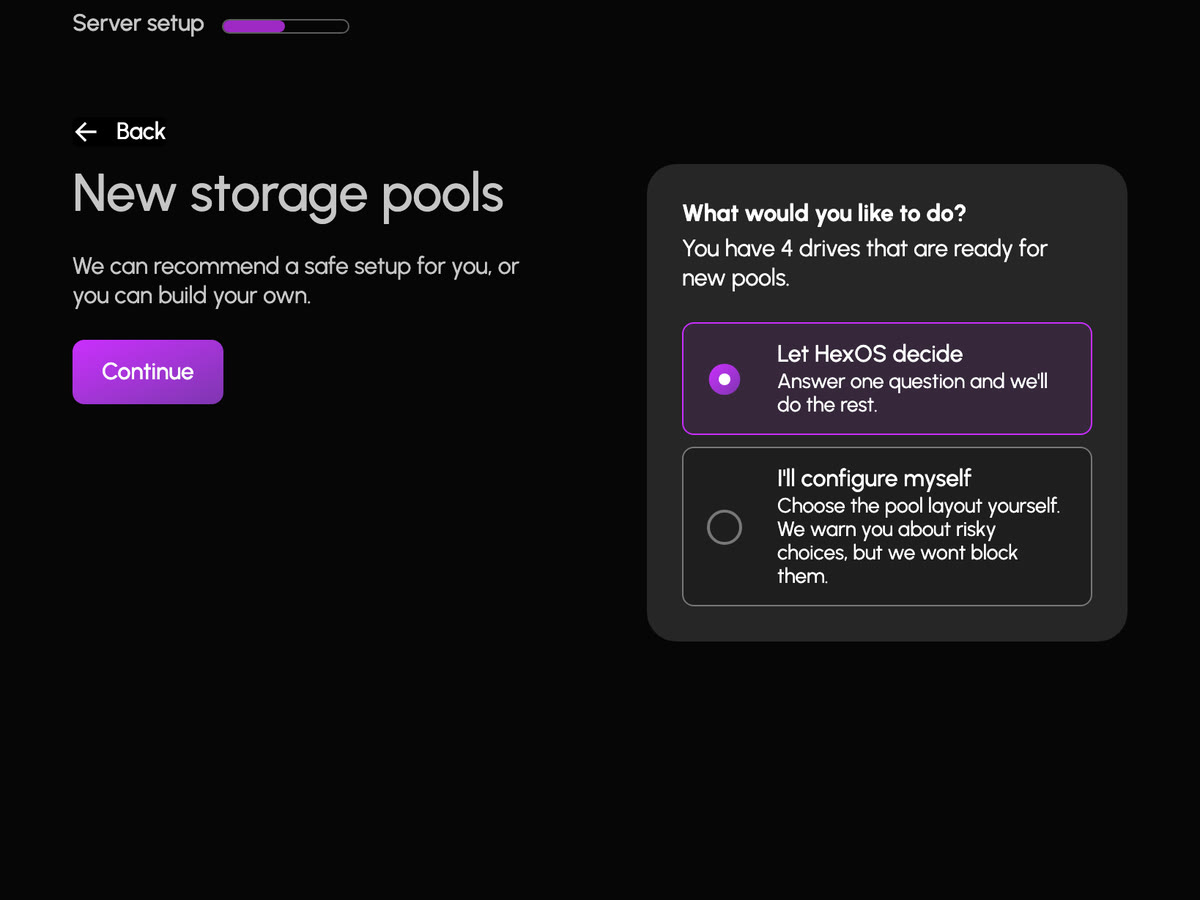
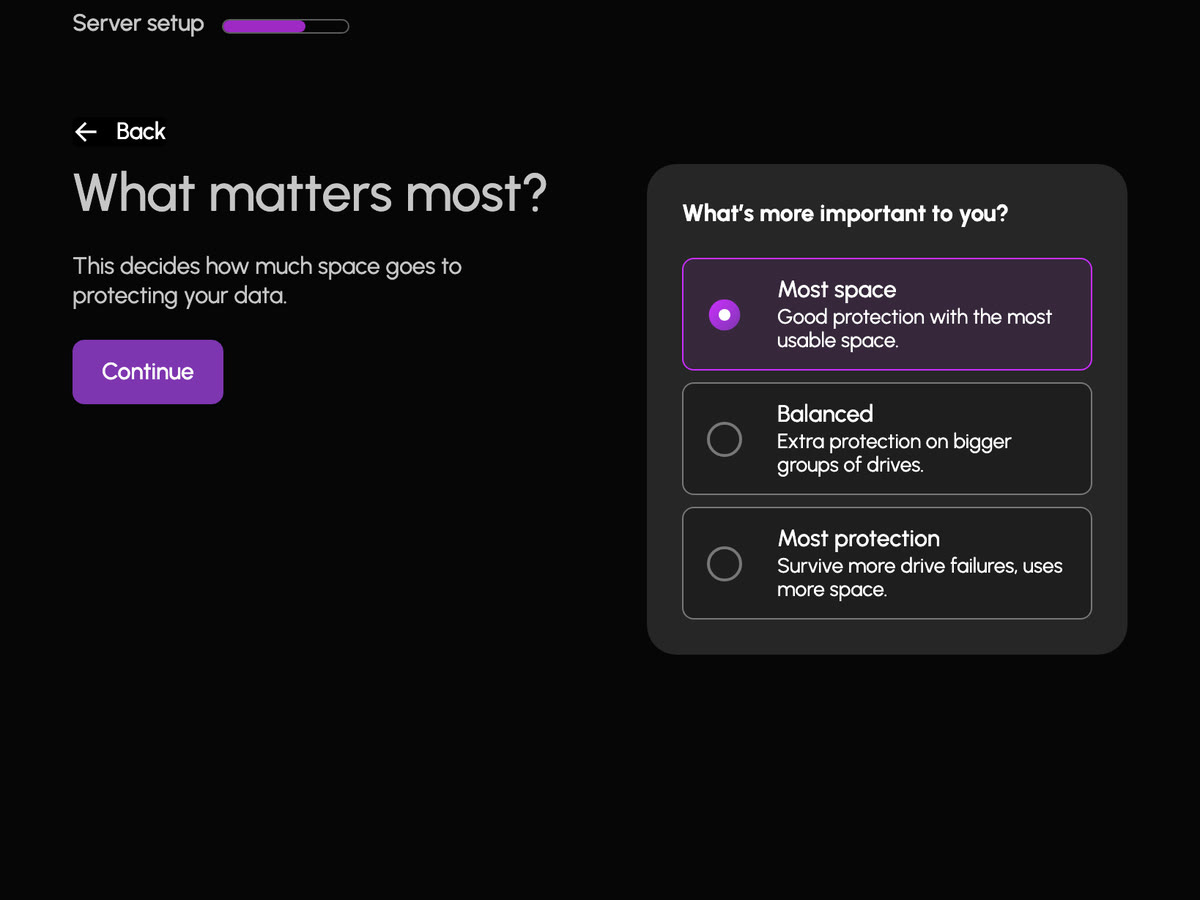
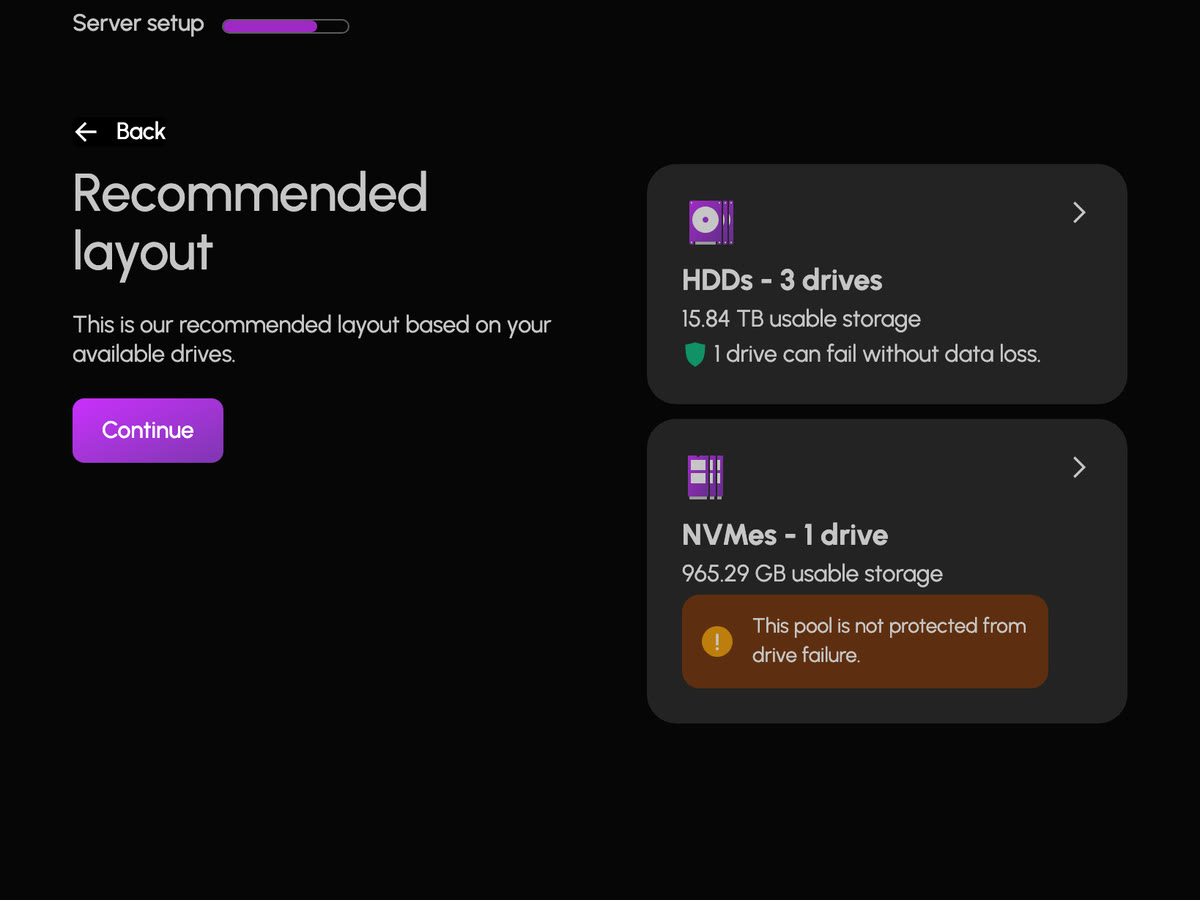
- Wizard or manual. Answer one question and HexOS builds a safe layout, or lay out the pool yourself with a warning on risky choices.
- Grow one drive at a time. Expand a pool, or swap in bigger drives, without starting over.
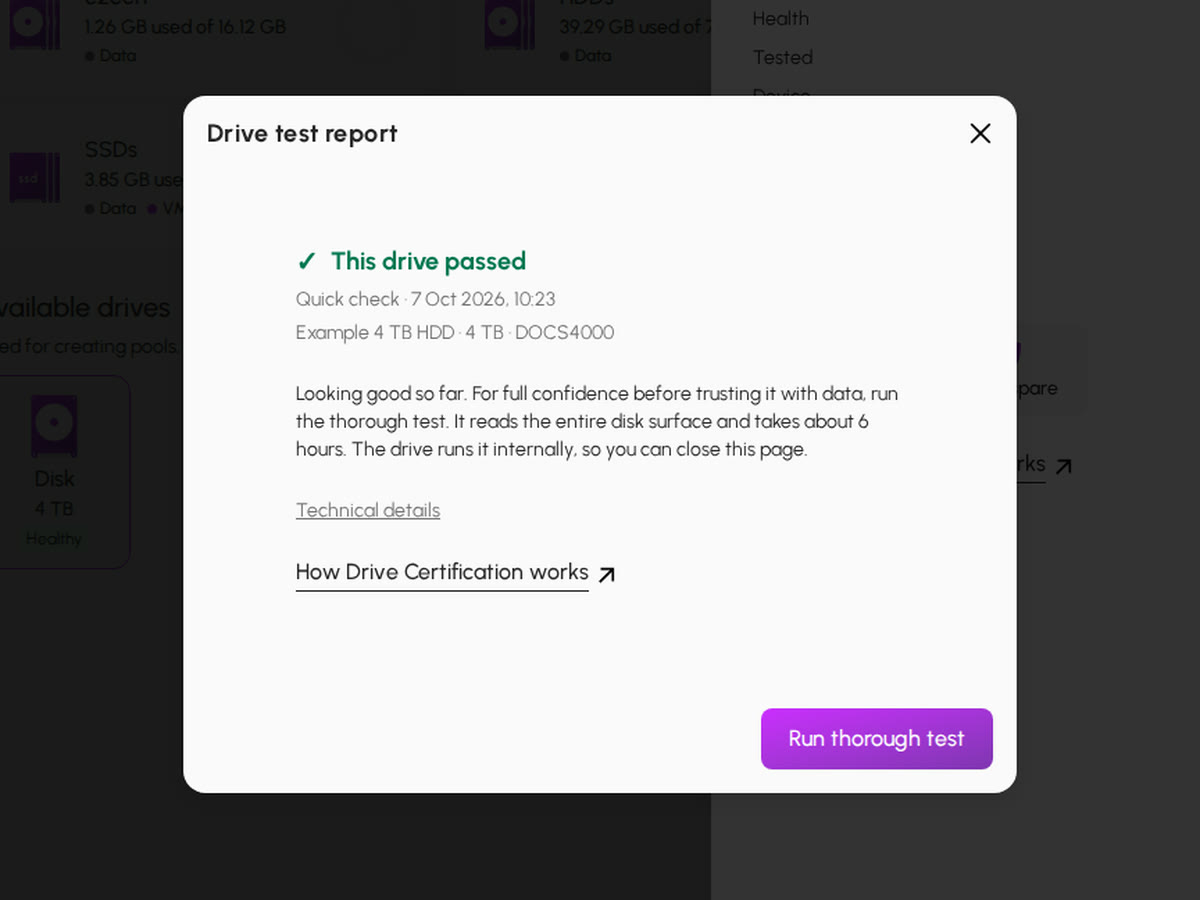
- Trust what you plug in. Drive Certification tests a drive before it holds your data, and a used one gets a deep check in the background.
AnyRAID: mixed drive sizes, one pool.
Use the drives you have, whatever their sizes, and get more of their space.
Meet AnyRAID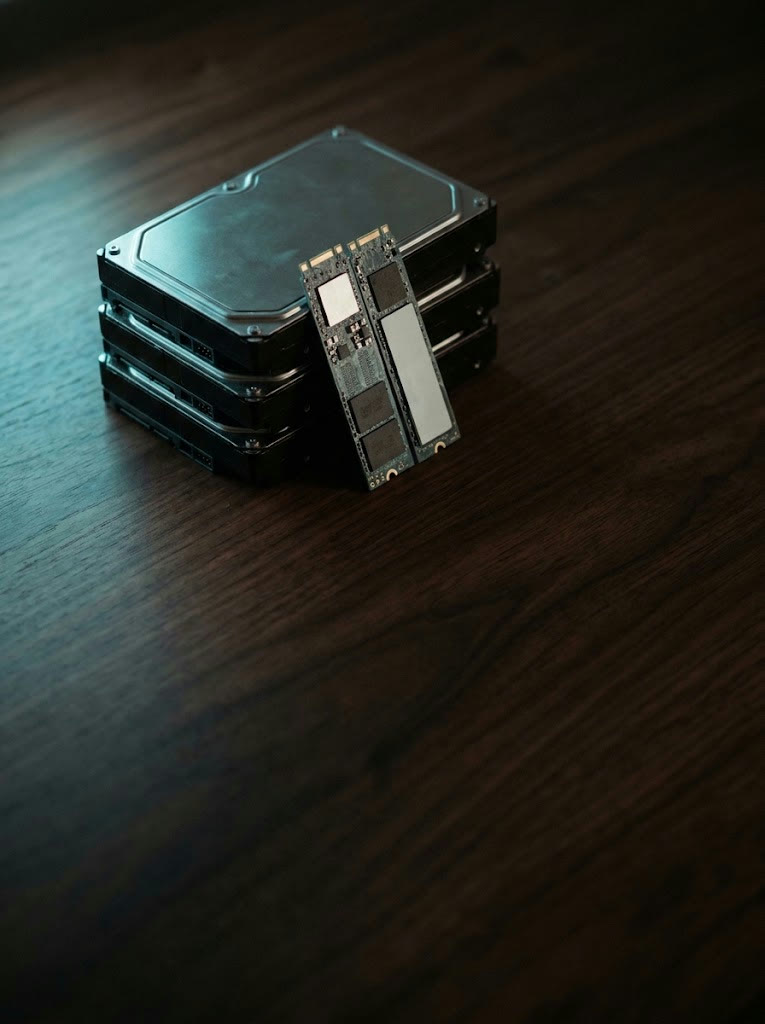
Folders for everyone.
Private where it matters.
Share with the household, encrypt what matters, and bring your files over from wherever they live today.
Make a folder, choose who can see it, and it shows up on every Mac, PC and phone in the house. The ones that matter get encryption, with a recovery key only you hold.
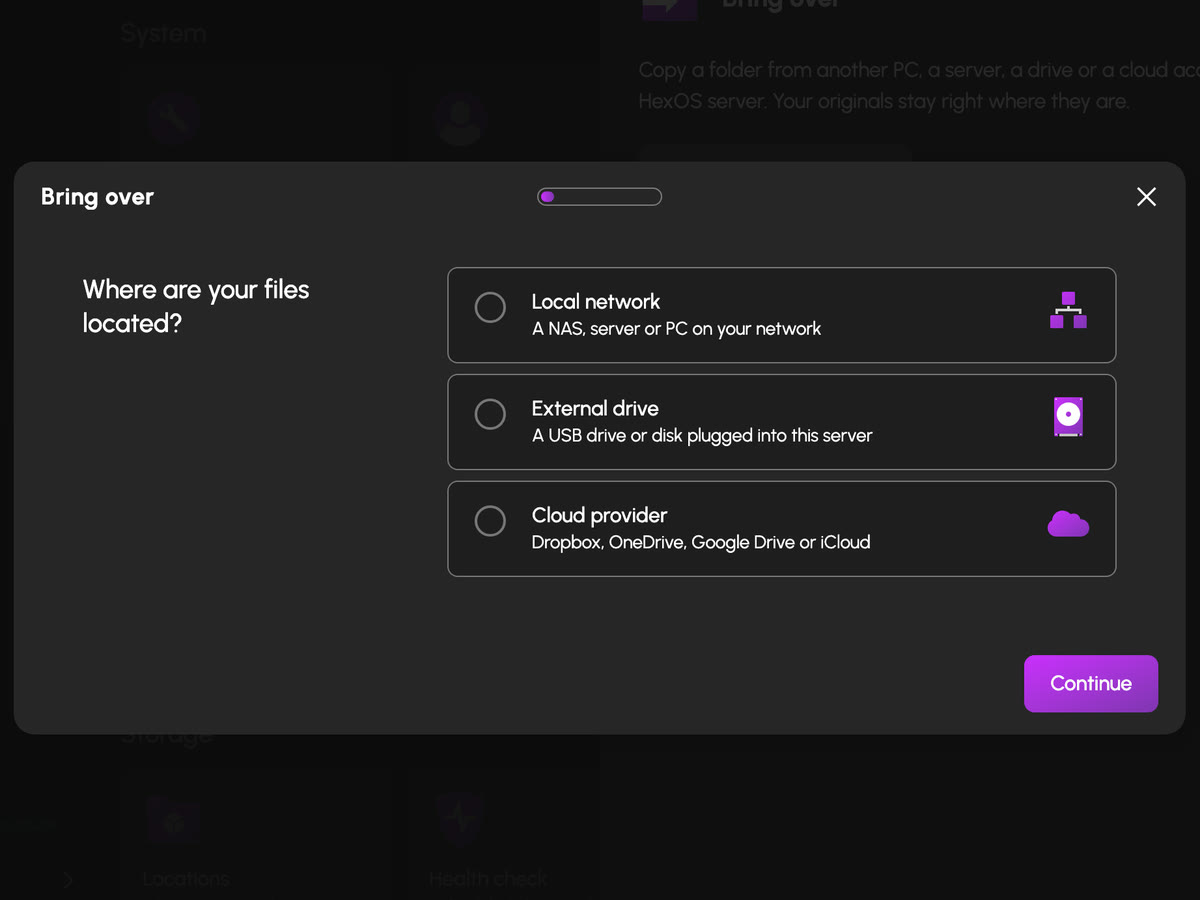
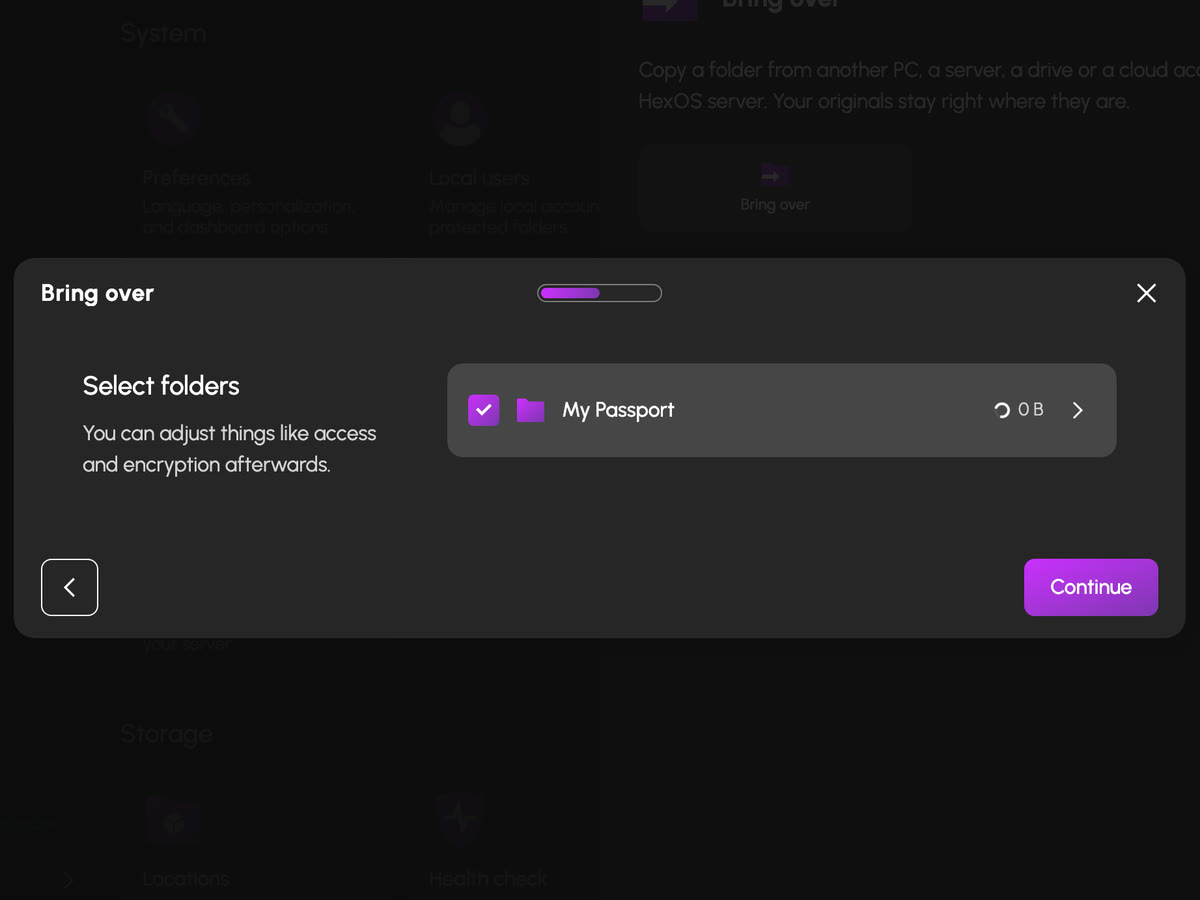
- Bring Over. Pull everything in from a cloud account, an old NAS or a drawer of external drives, and HexOS does the copying.
- Works with what you have. Finder, Explorer, Time Machine and Windows Backup, with nothing to install.
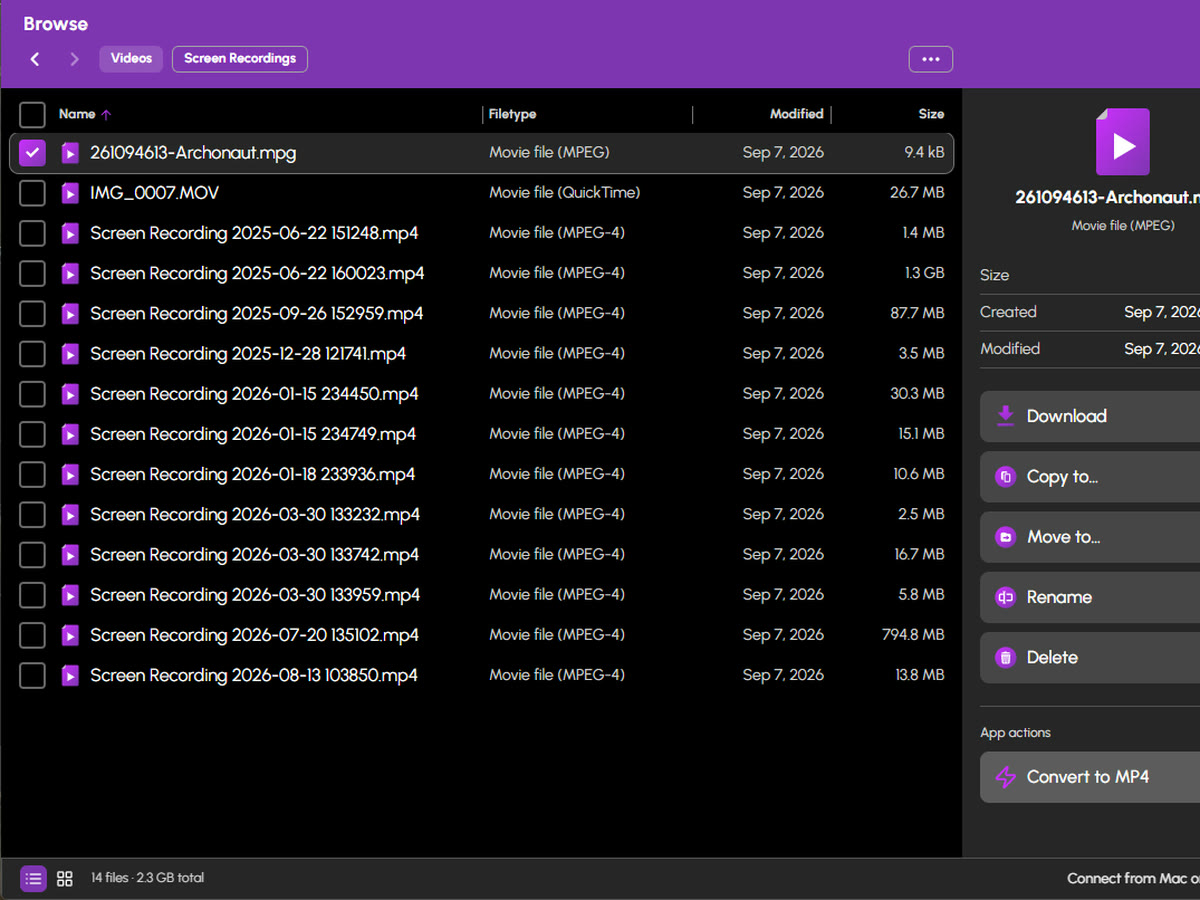
- A file browser in the deck. Upload, download, move and rename from any browser, drag and drop included.

Pick an app.
It's ready when it opens.
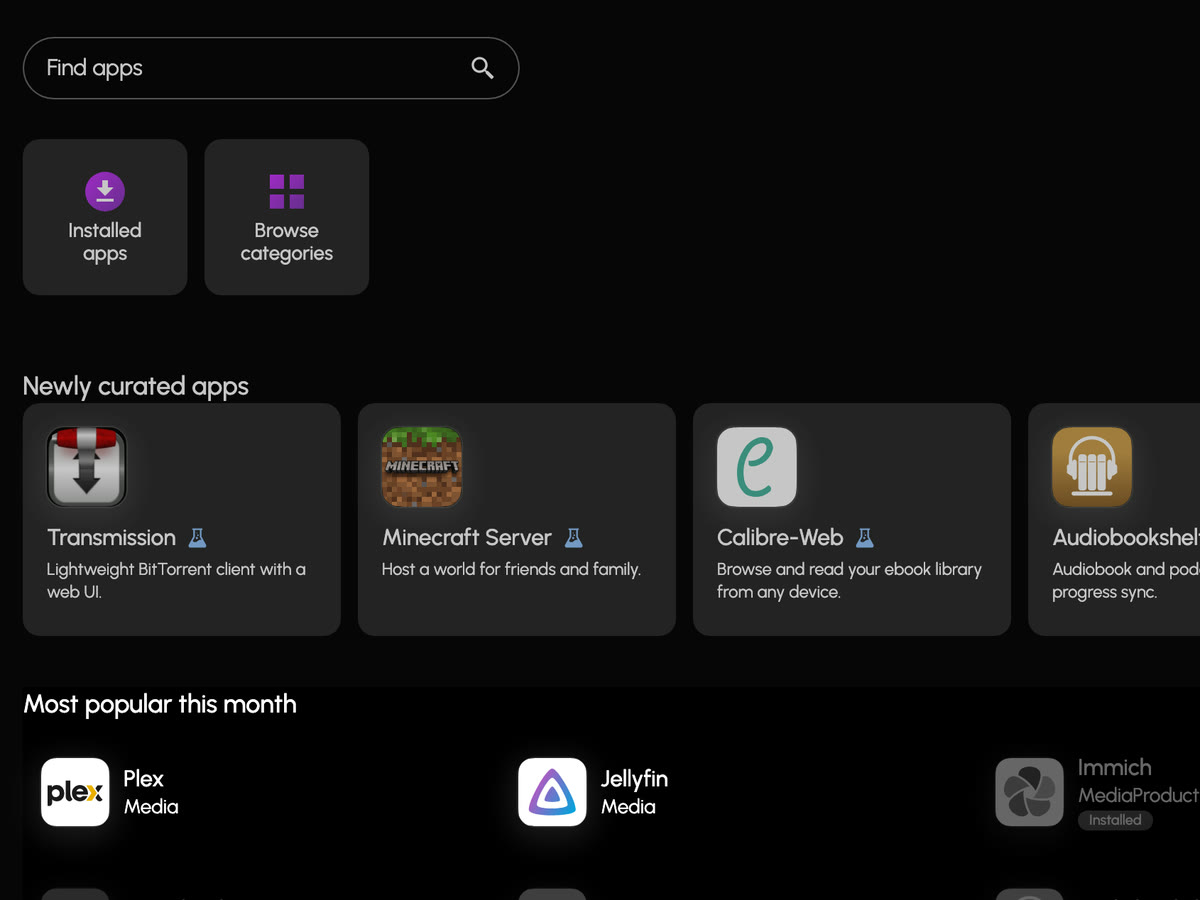
Plex, Jellyfin, Immich, PhotoStructure, the Arr suite and many more. Ready on first launch.
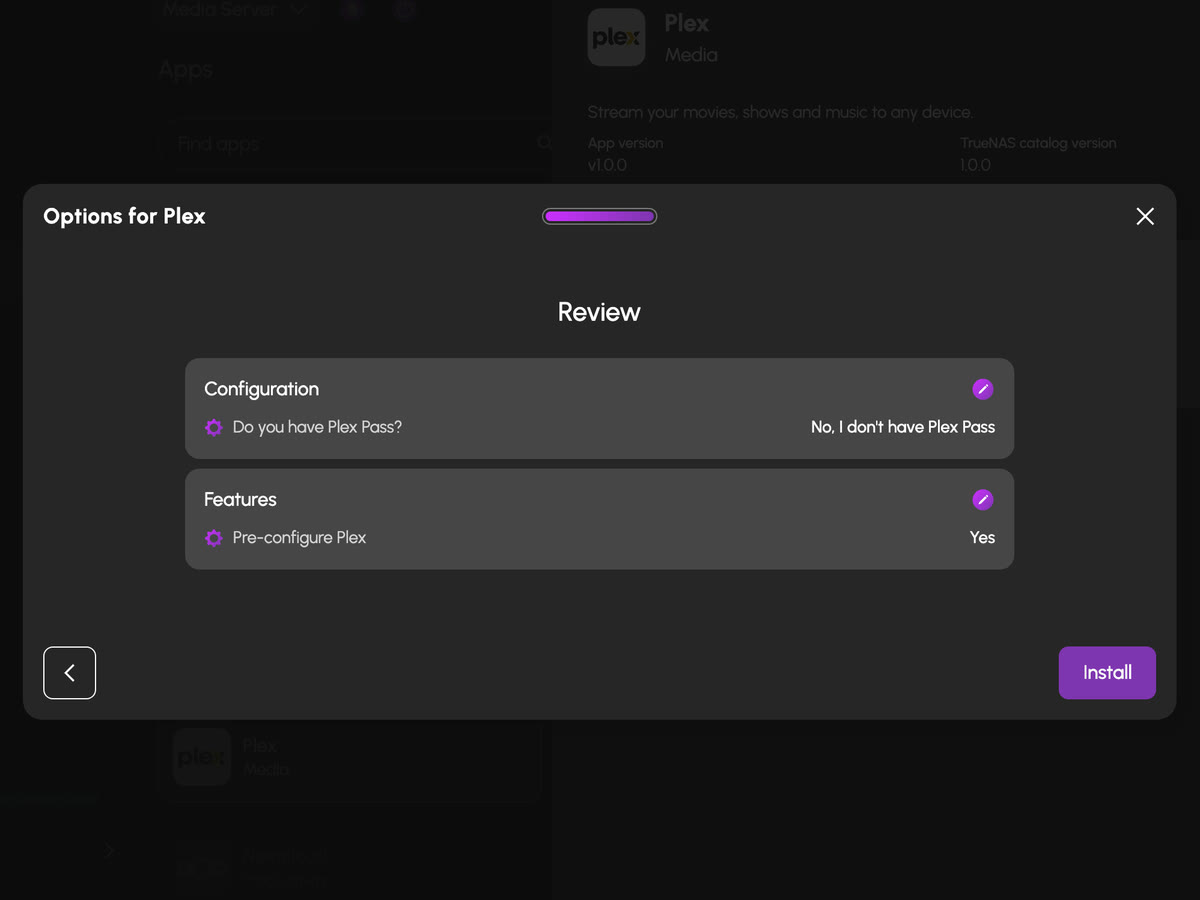
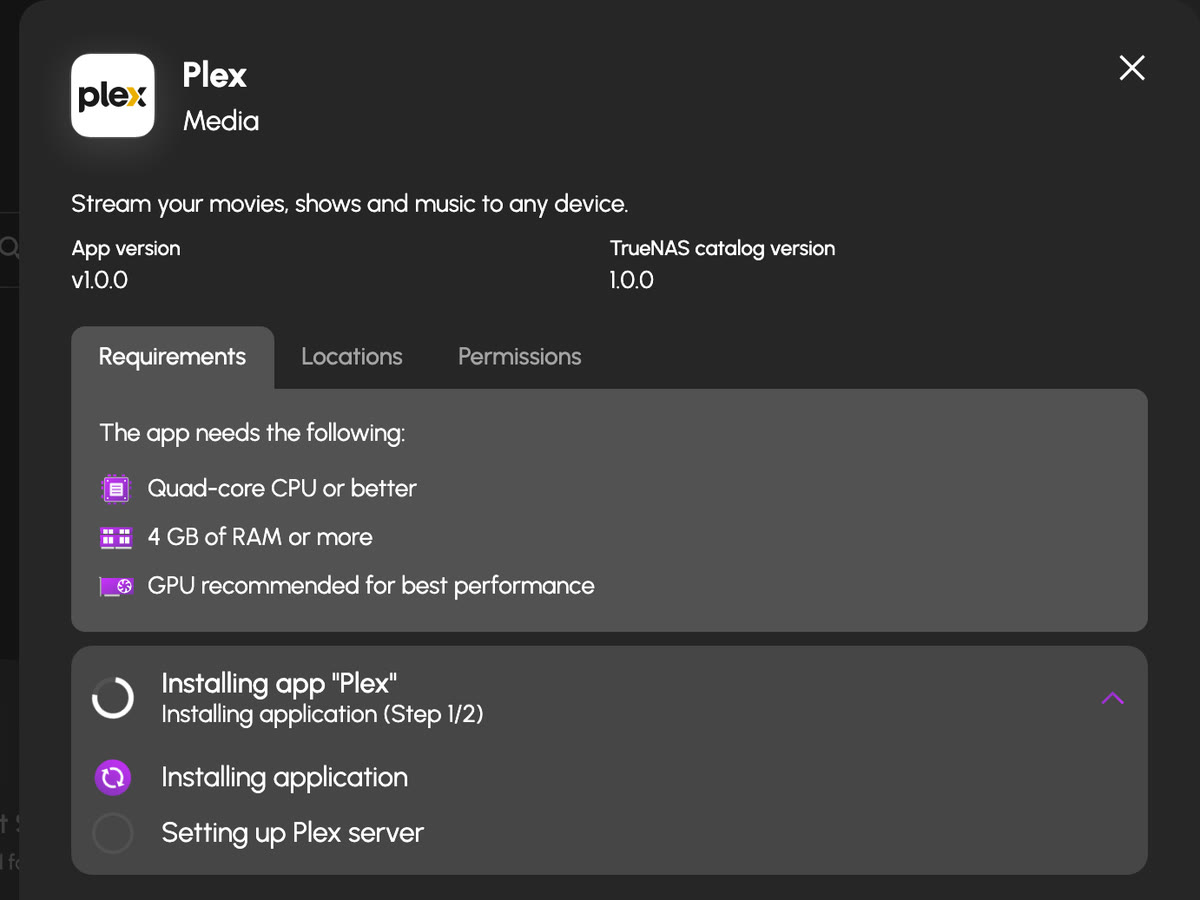
HexOS installs each one with sensible settings, keeps it updated and backs up its data, so the first time you open it, it just works.
- A catalog, not a configuration. One click to install, with no ports, paths or compose files.
- Updates and backups handled. Apps update from the deck, and a nightly app backup means a failed apps drive doesn't take them with it.
- Swap a subscription. Install the app for your photos, media, notes or smart home, then cancel the service it replaces.
The app catalog: everything HexOS sets up for you.
Photos, media, files, notes and finance, each one a click from running. Search it, or start from the subscription you want to drop.





 +42
+42
A whole other computer,
inside your server.
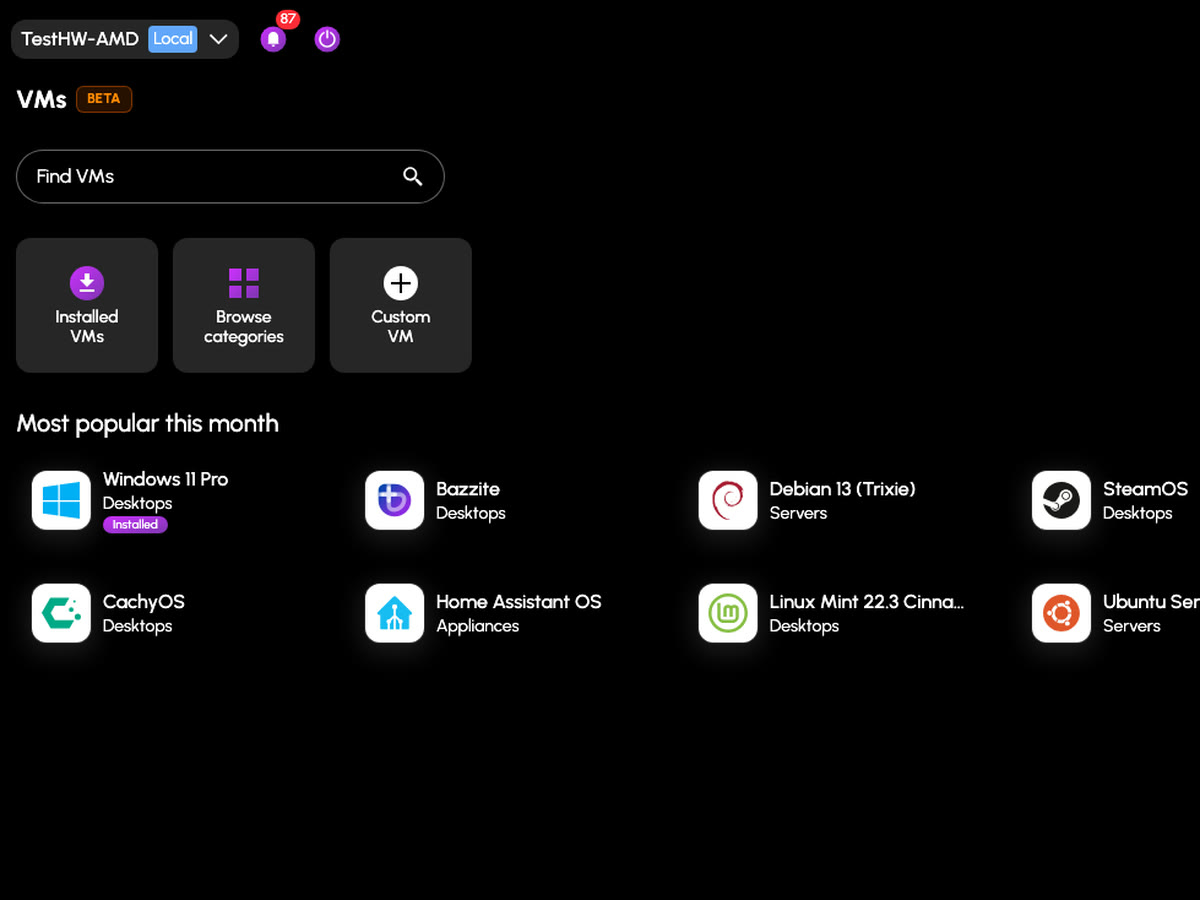
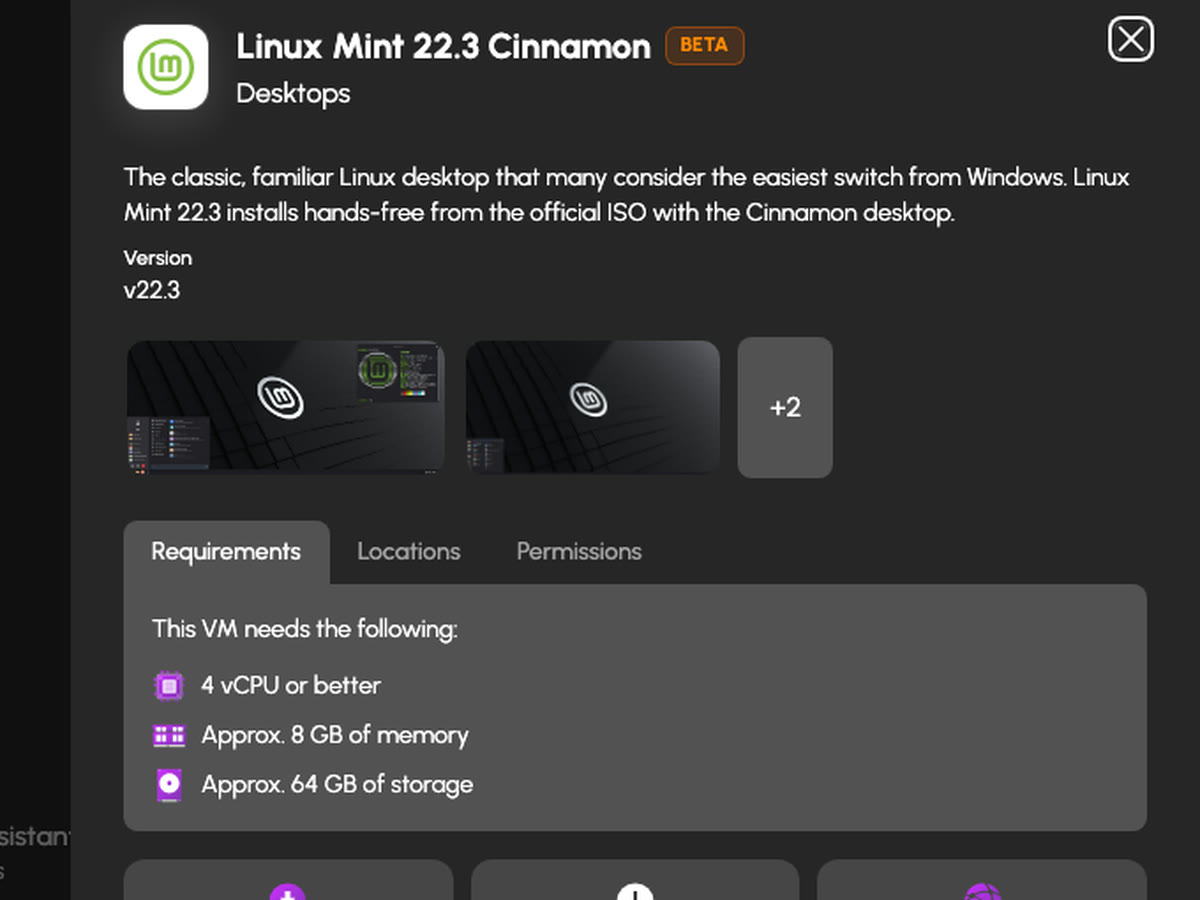
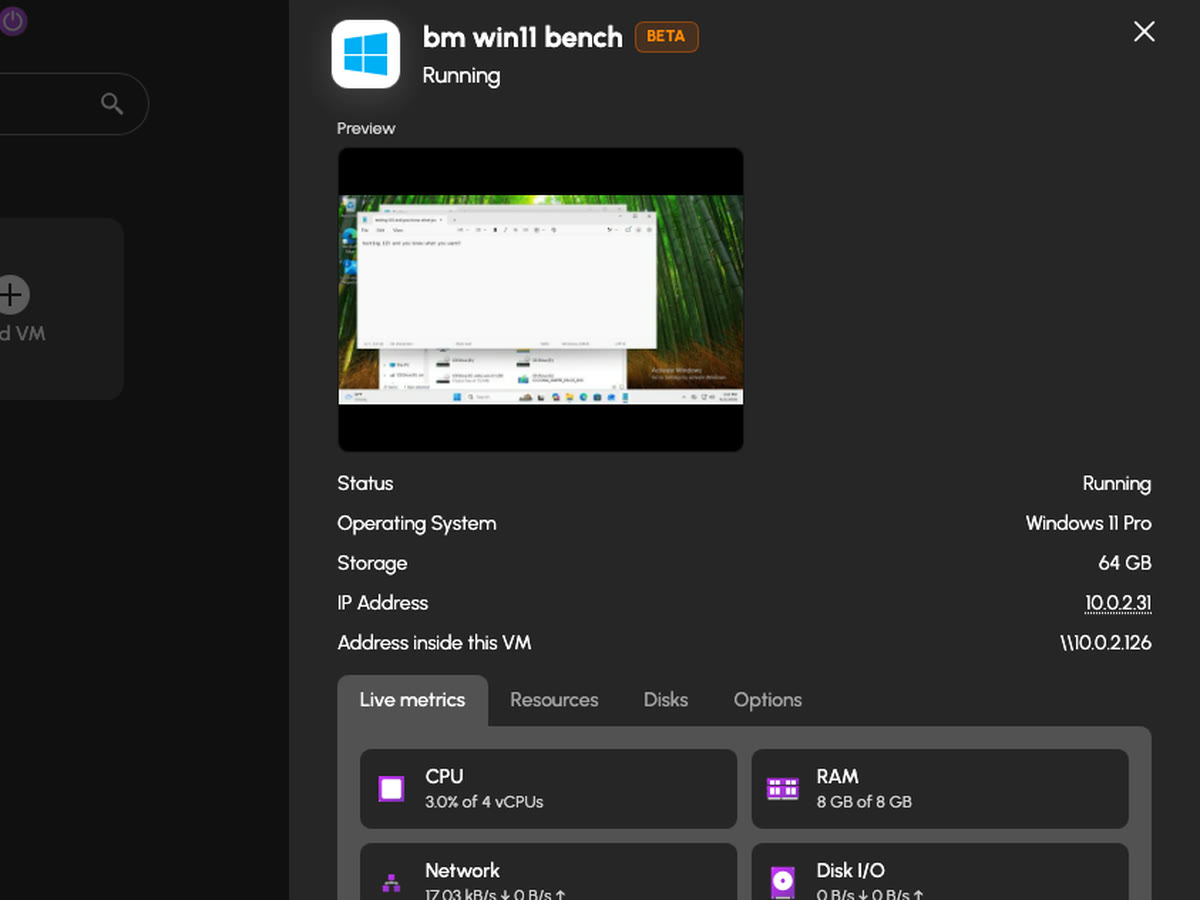
Windows, Linux, Home Assistant or a Steam gaming rig, installed and updated for you in minutes.
Pick one from the catalog and HexOS installs the operating system and its apps for you. Or bring your own installer and build a custom VM.
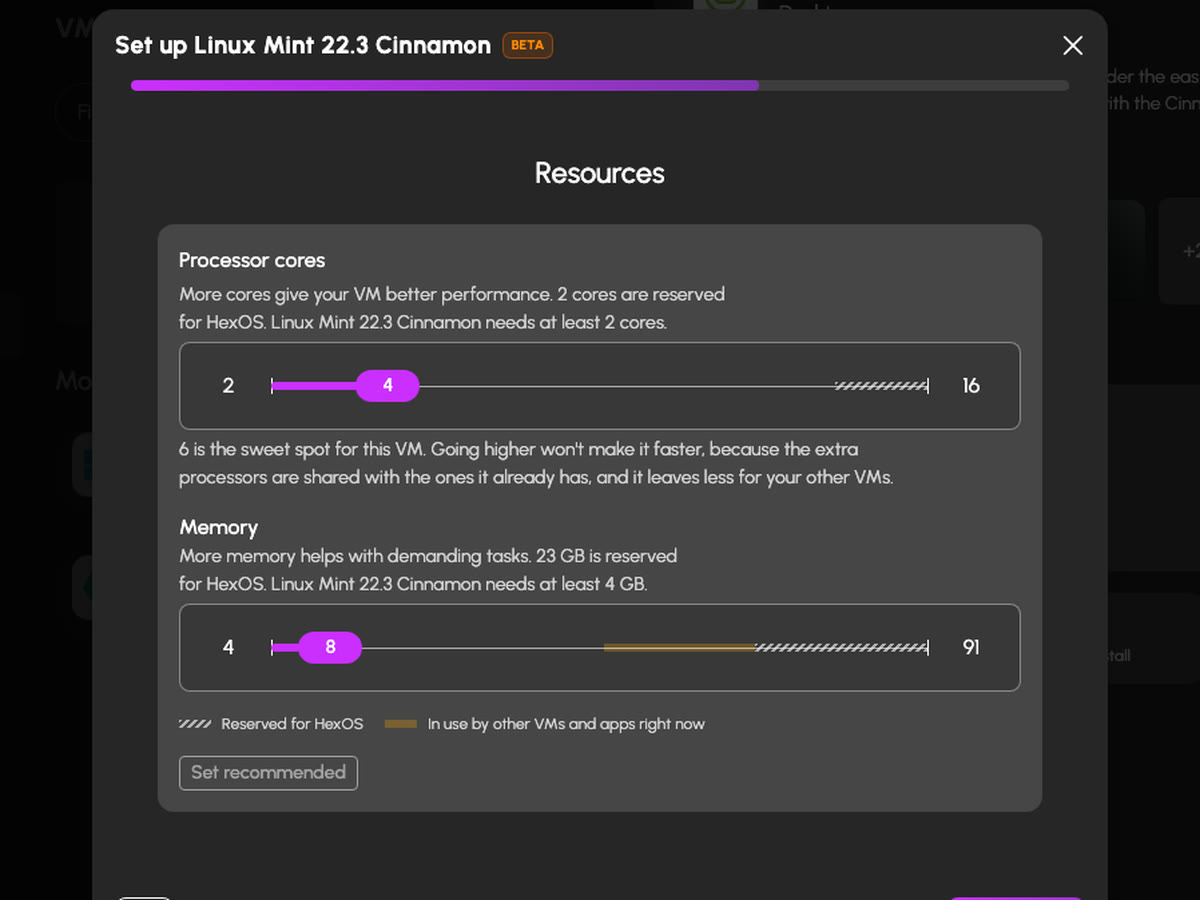
- Set up in minutes. Choose the VM, its cores, memory and disk, and HexOS does the install.
- Open its screen anywhere. In your browser, with Remote Desktop, or from your phone.
- Real hardware when you need it. Hand a VM a graphics card or USB devices.
Needs 4 processor cores, 8 GB of memory and 32 GB free on a pool. What else to check
The VM catalog: Windows, Linux, gaming and more.
Every system tested before it is offered, sized for you and installed without a manual. Pick one by what you want to run.


 +21
+21
Back up to a buddy.
They host it. You own it.
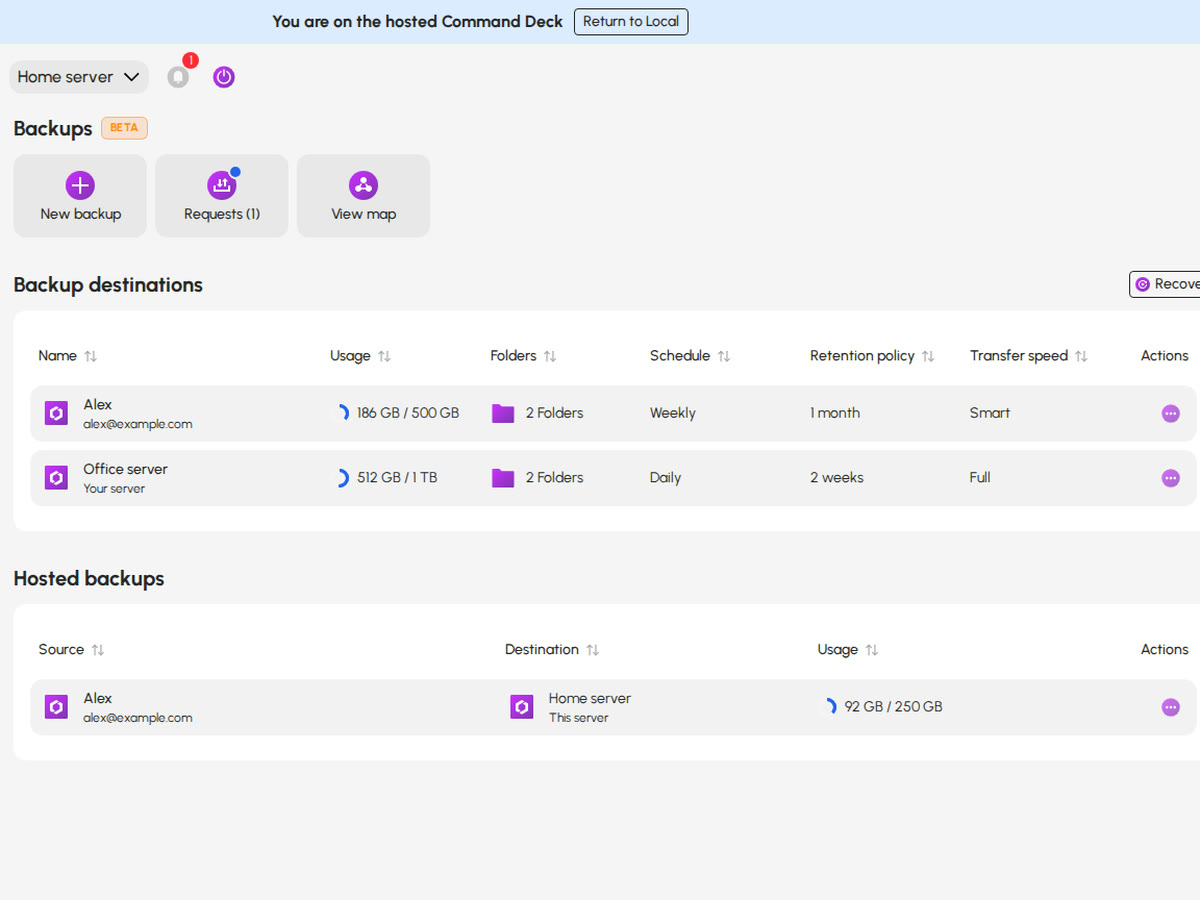
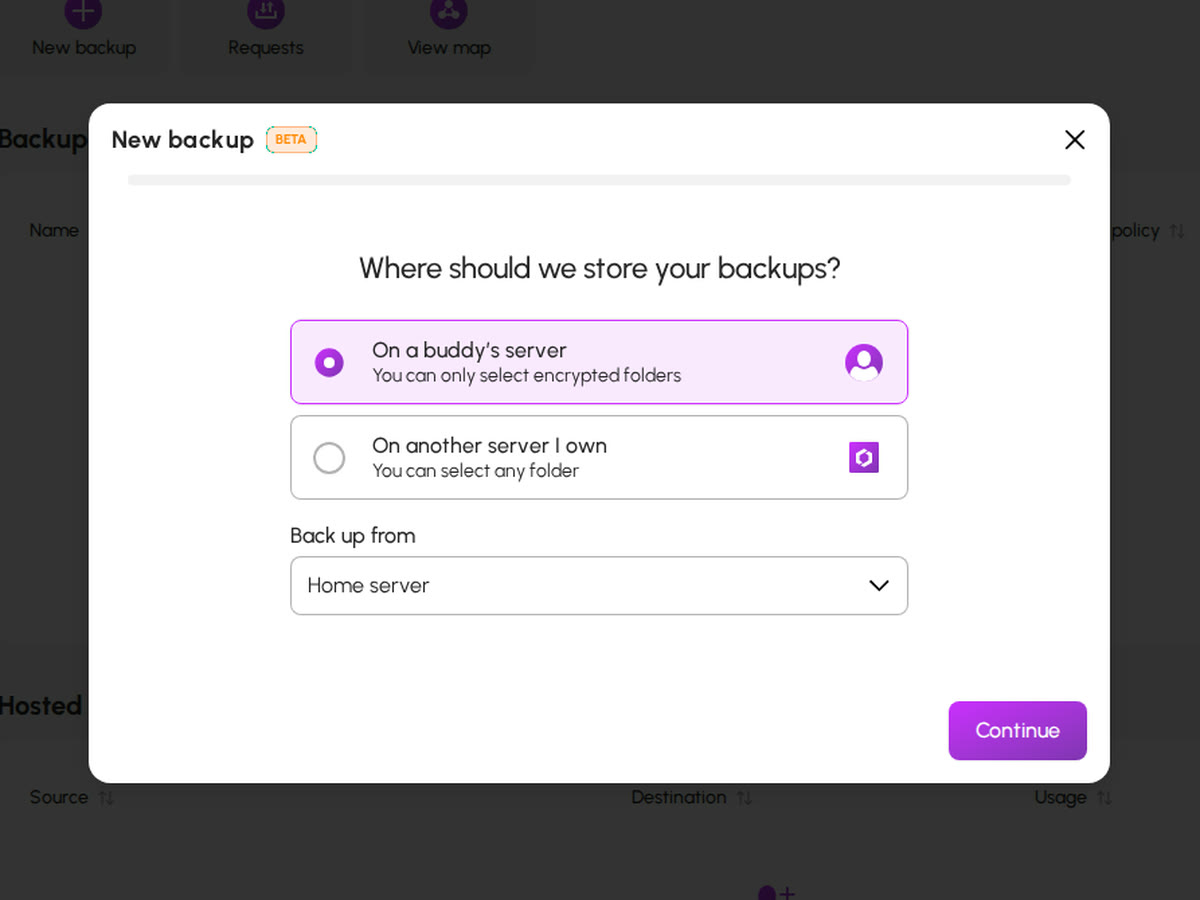
Back up to a friend's HexOS server, encrypted so only you can read it.
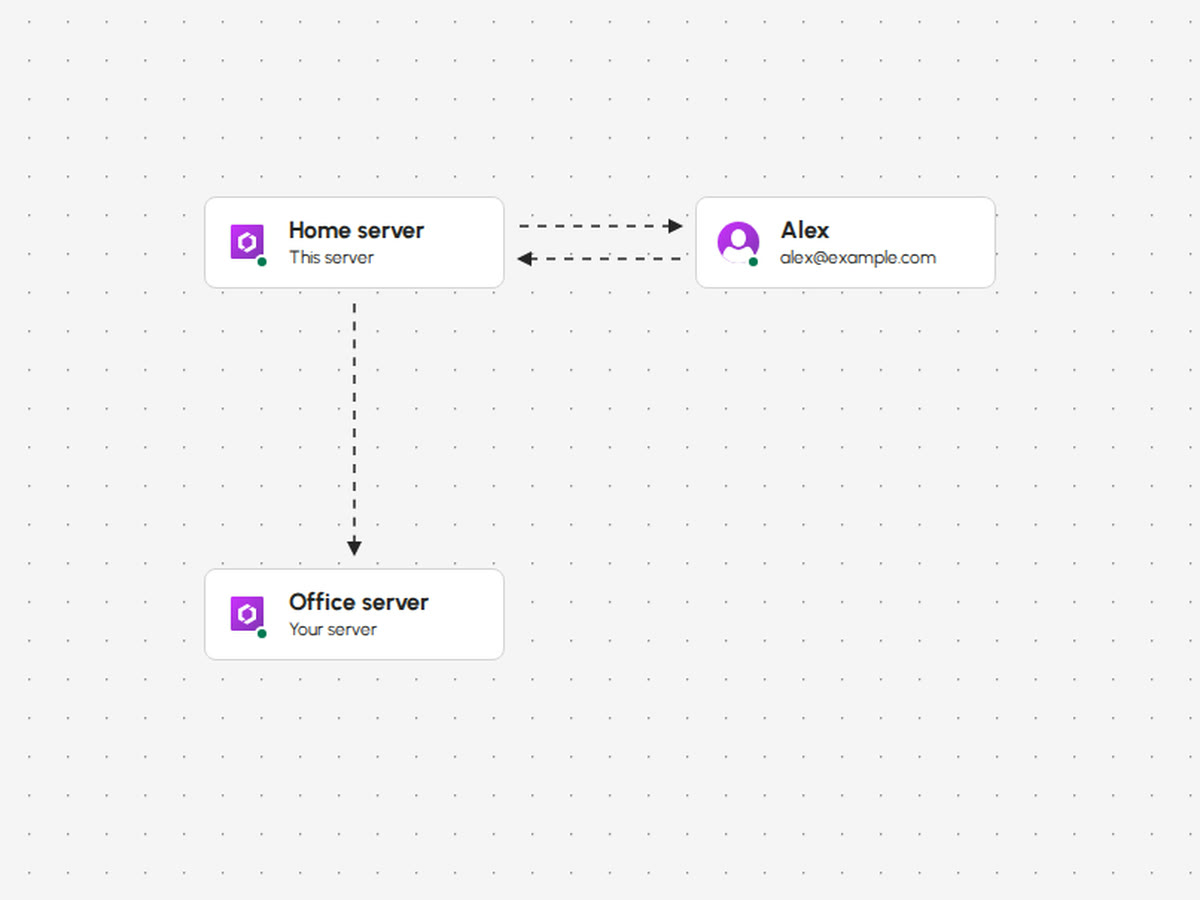
Pick a friend with a HexOS server, send them a request, and your folders back up to their server across town. Host theirs in return. Or back up to a second server of your own.
- Encrypted before it leaves. Your buddy stores it and never sees it, and there's nothing new to subscribe to.
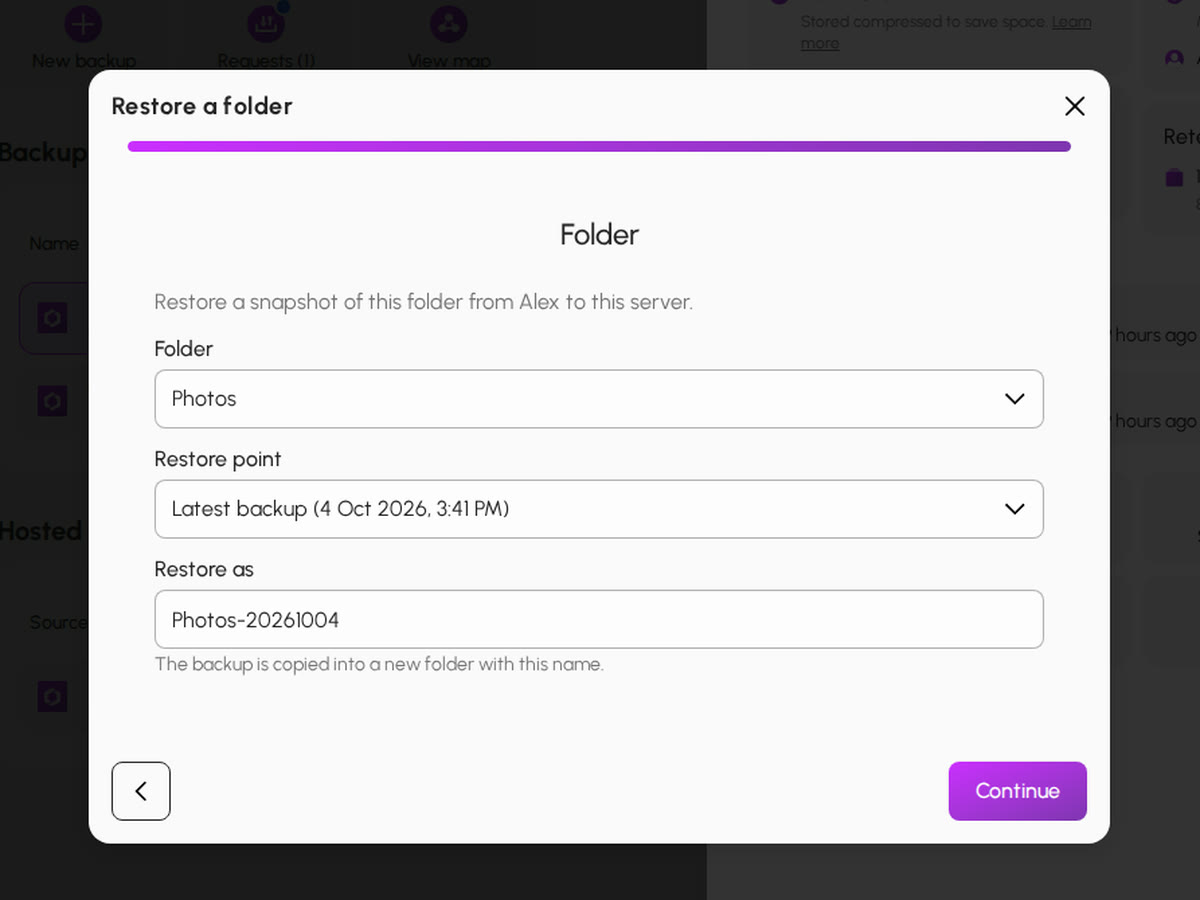
- Restore a folder, or a whole server. Lose a drive or the box itself, and bring everything back to a new one.
- Every backup on a map. The servers you back up to, and the ones you host, in one view.

It tells you before
it costs you anything.
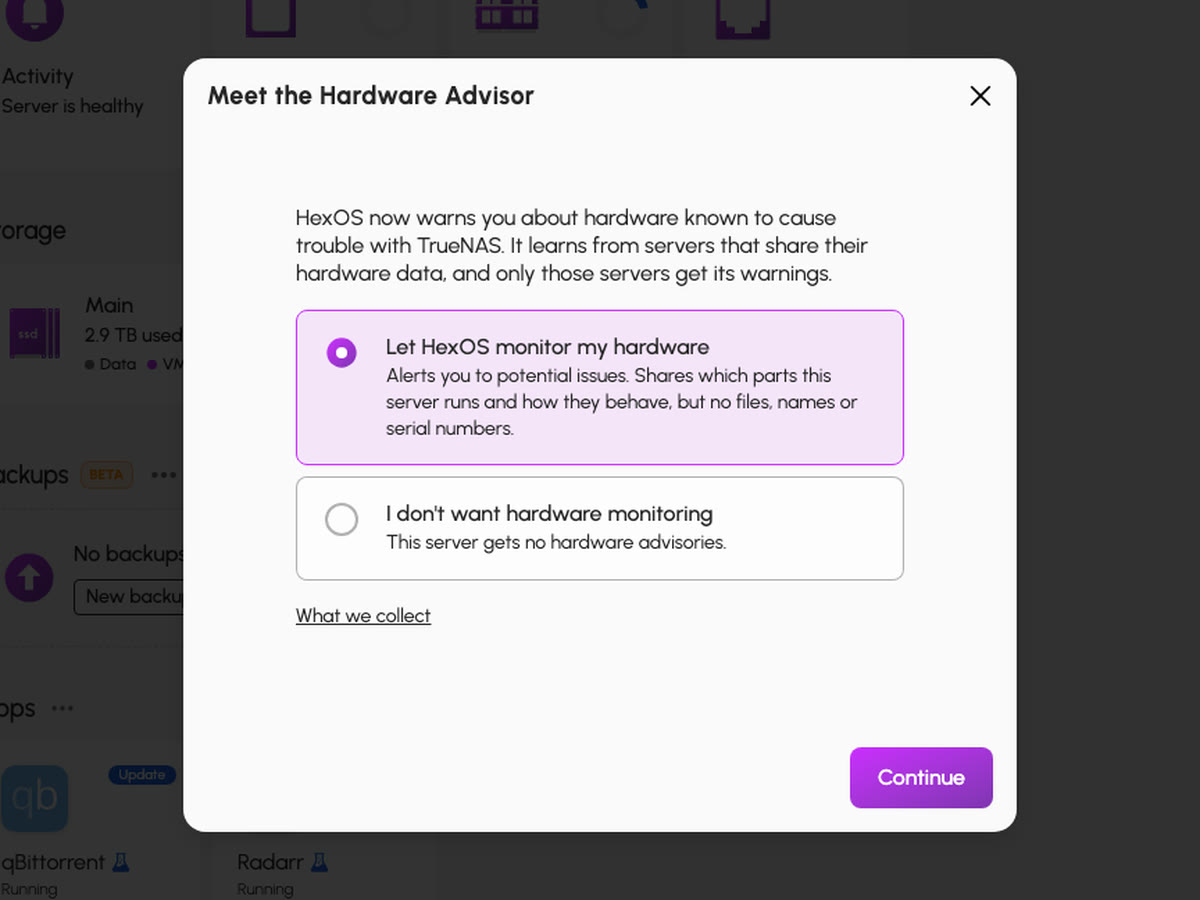
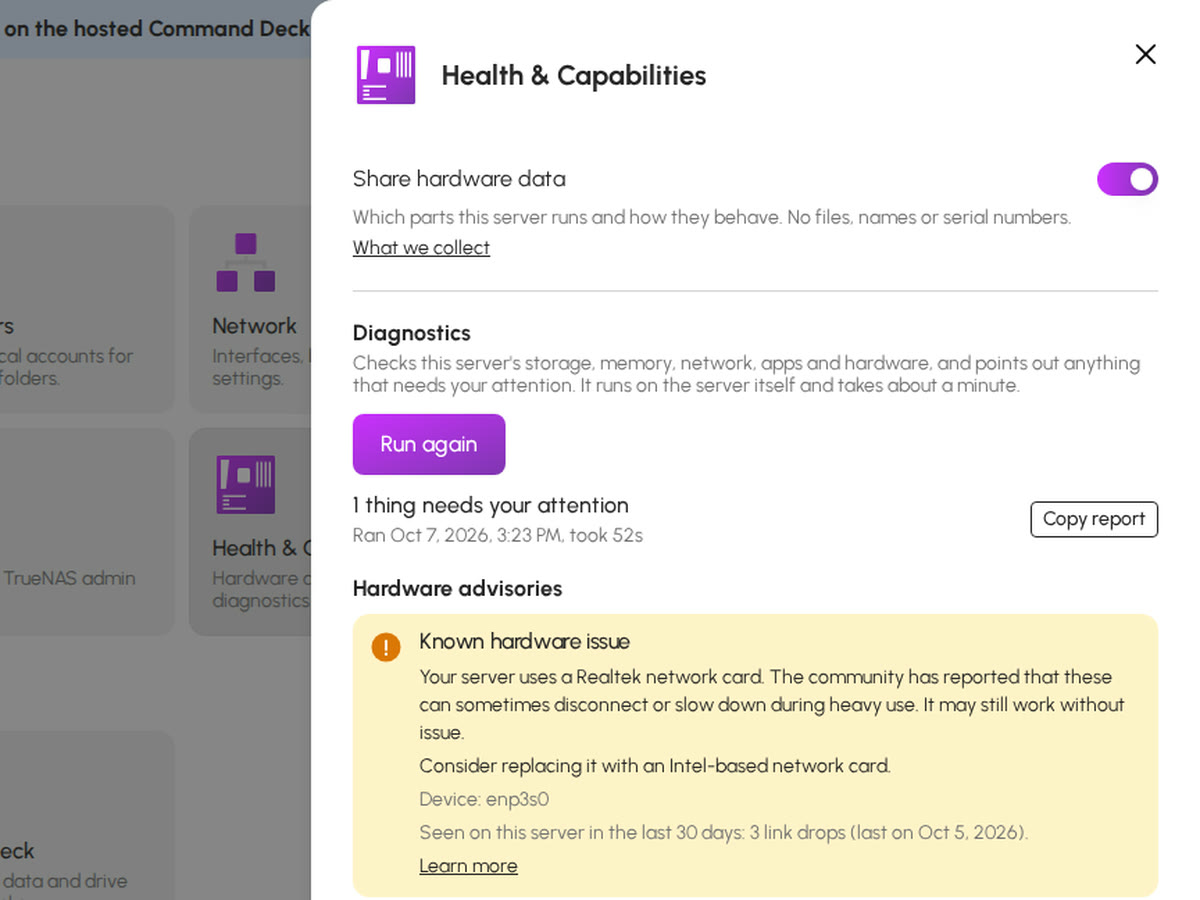
Certify a drive before you trust it, let the Hardware Advisor flag trouble, and run diagnostics that say what to do.
HexOS watches your drives, your pools and your parts, in plain words. The serious warnings reach your inbox, not just the dashboard.
- Hardware Advisor. Matches your exact parts and revisions against issues a person has reviewed, and tells you what to change without ever changing your server itself.
- Drive Certification and the deep check. Test a drive before you trust it, and let HexOS check a used one properly in the background.
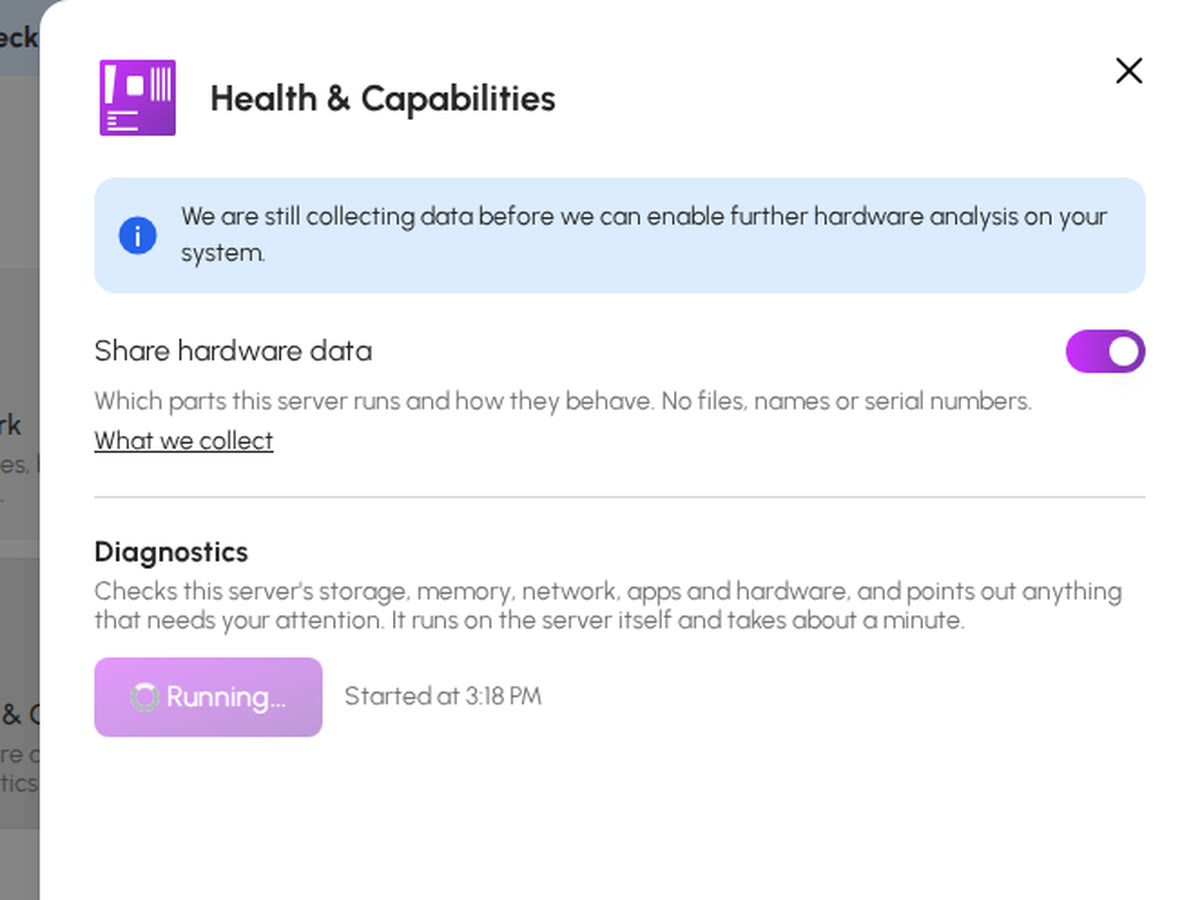
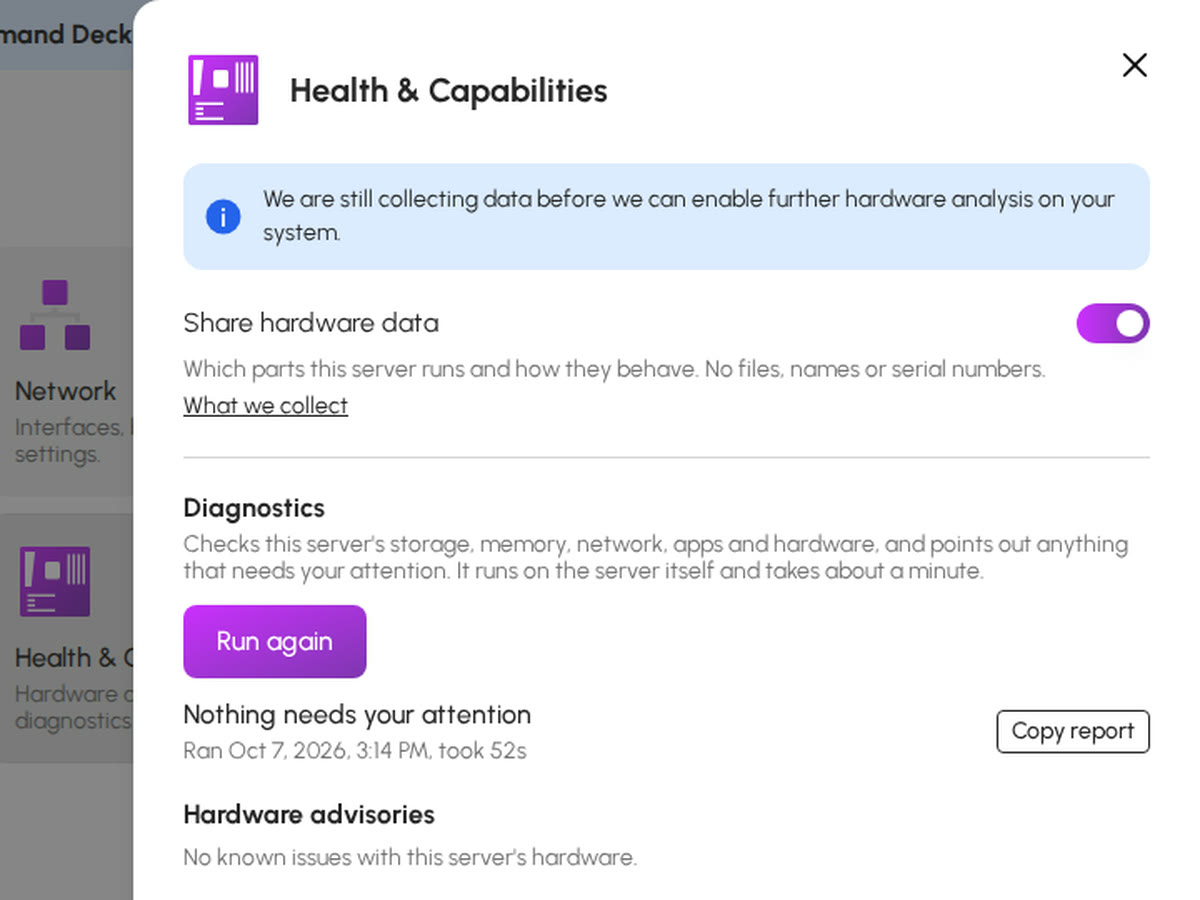
- Diagnostics on demand. One check of storage, memory, network, apps and hardware, with the fix beside each finding.
The small things that add up.
Not every feature needs a section. These are the ones people mention most.
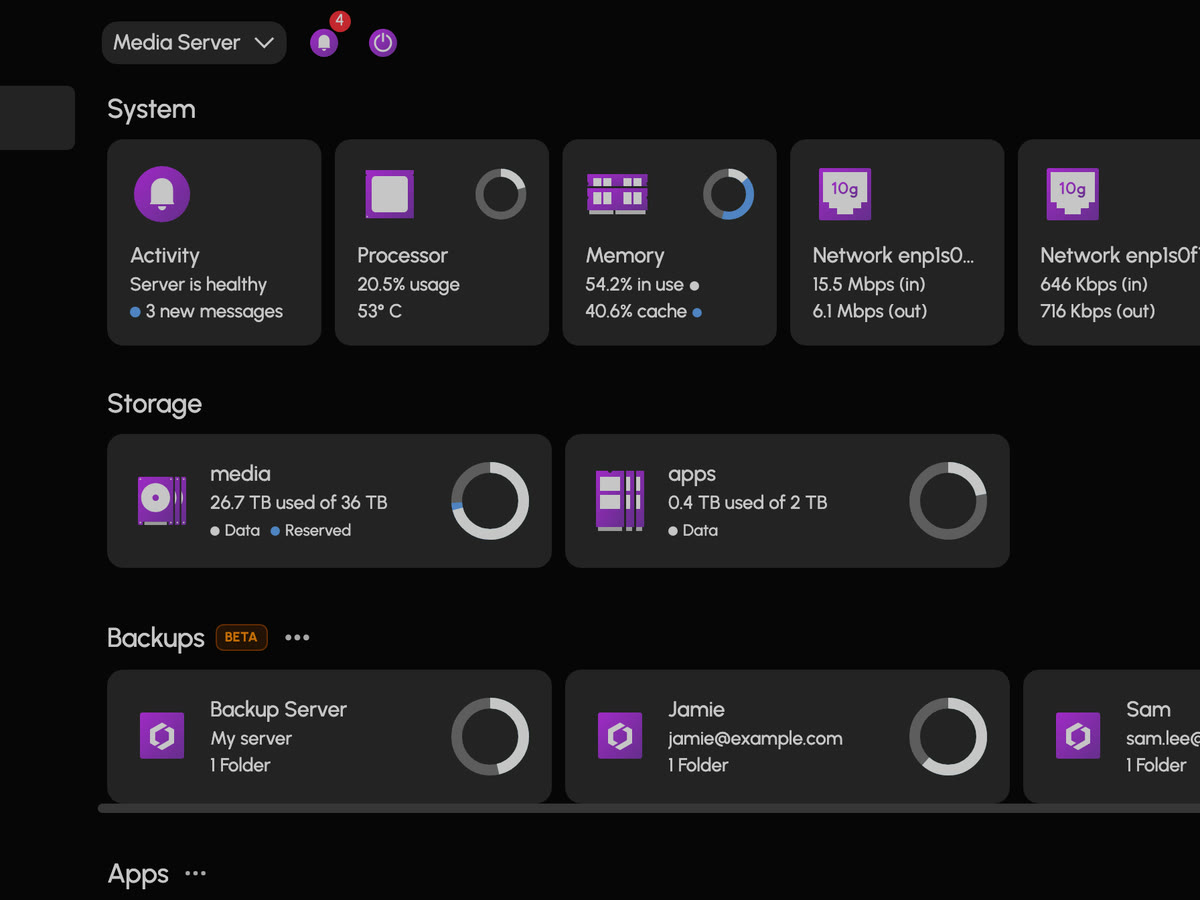
A dashboard you arrange
System, storage and apps at a glance, arranged the way you want them.
The deck from anywhere
Manage your server from deck.hexos.com on any device, with no port forwarding and nothing exposed to the internet.
Updates in one click
OS and app updates from the dashboard, with the release notes beside them.
An account for everyone
A user for each person in the house, and folders only they can see.
Notifications that matter
A bell in the deck for everything, and an email for anything critical, like a failing drive.
Dark mode, two dozen languages
Translated by the community, one language at a time. Help them out
TrueNAS underneath
Open the TrueNAS UI whenever you like, with nothing hidden from you. Why TrueNAS
Your data stays yours
Hardware data sharing is off until you turn it on, and you can see exactly what it sends.
Good questions.
Seen enough? See it running.
Buy HexOS and have a server by tonight, or try every step first in the live demos on the homepage.